
Clash Control
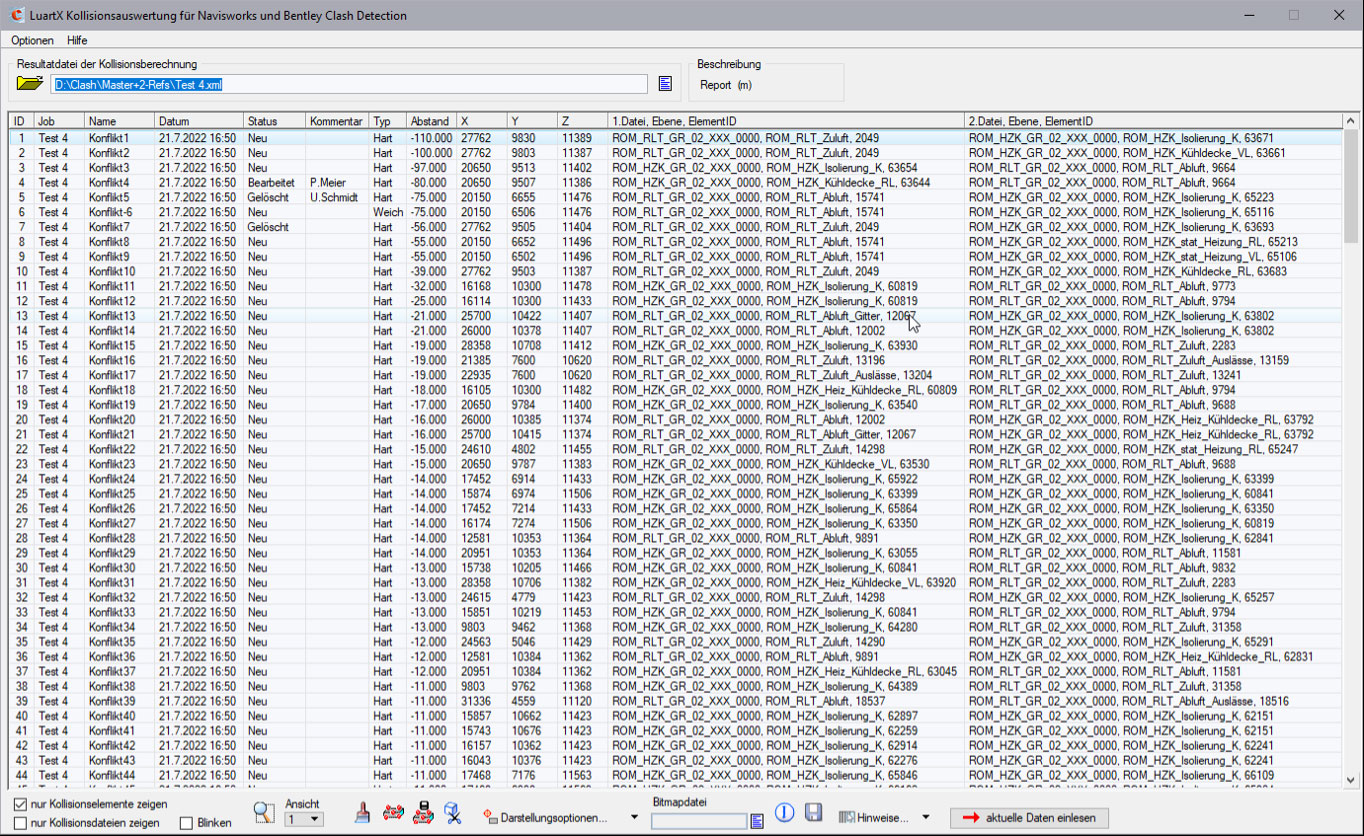
Programme for evaluating collision result files of Navisworks Manage and Bentley Clash Detection programmes in CARF.
Navisworks Manage XML or Bentley ClashDetection CSV collision files can be read in and displayed as a whole.
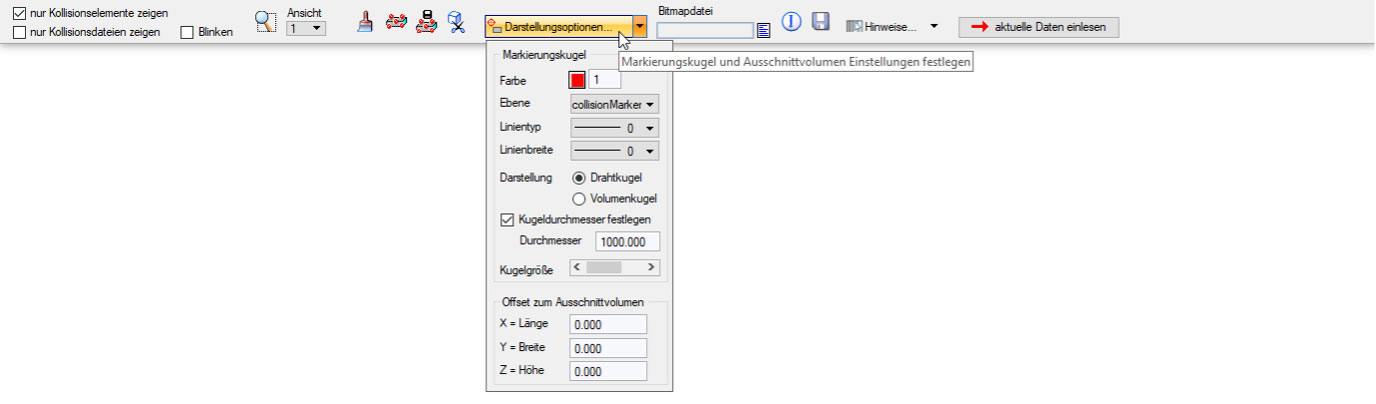
Collisions are indicated by a ball symbol. These can be adjusted in colour and size so that planners can quickly reach their goal and find the respective colliding elements.
The programme adopts the geometries as well as the attributes. Using different colours in a listing facilitates your tasks. You can save comments directly on the interface. These comments are then displayed in the CSV as well.
Changes from involved colleagues to the same collision file are indicated by a “Read current data” button. After pressing the button, the collision list is updated and the button disappears.
All dialogue elements of the programme have a mouseover help text that is displayed when the mouse is slowly moved over them. Training is not required.
Get the benefits of our Tools
Related modules
CARF BIM Navigator
With the BIM Navigator, CARF objects can be structured and filtered easily and quickly
CARF Factory Concept Tool
Innovation for the construction industry: The right solution for the rapid creation of concepts and thus consistent planning

CARF Qualitool
Increase data quality and automatically verify the created CAD files whether the required standards have been met
Do you have any questions?
Please feel free to contact us directly!
Phone:
+49 7031 304748-0
E-Mail:
vertrieb@luartxit.com